Platform notes
Krisp for online teachers, tutors and webinar hosts
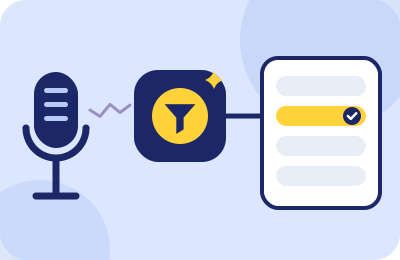
Krisp is the tool this site recommends most, so it earns the write-up where we're hardest on it: what it actually does during a lesson day, exactly what it costs as of our verification date, and the list of things it will never fix no matter what the testimonials say.
What it is, teacher-sized
Krisp is a small desktop app (Windows and Mac) that installs a virtual Krisp Microphone on your system. Your real microphone feeds Krisp; Krisp strips background noise with AI; your teaching platform — browser classroom or meeting app — is pointed at Krisp Microphone instead of the physical device. Krisp's own framing is that it "works at the audio level" and integrates with every conferencing app; a Chrome extension exists for browser-heavy setups. The consequence teachers care about: Preply's classroom, italki's classroom, webinar rooms like Livestorm and Demio — anything with a microphone menu can use it, no platform cooperation required.
Why it fits this audience specifically rather than generically:
- It targets speech-like noise — children, television, other people's voices — exactly the category that browser-grade suppression fumbles and households produce. The full comparison, with computed scores, is in the main guide.
- Inbound cleanup, on paid plans, works on the student's noise too — not for their classmates' ears, but for yours, which across a six-lesson day is a concentration subsidy.
- It survives a lesson-day workload. It's light enough for ordinary teaching laptops and doesn't care how many back-to-back bookings you stack.
The five-minute teacher setup
- Install Krisp, sign in, and select your physical microphone as Krisp's input.
- Open your platform's device check — Preply's pre-lesson test, italki's setup screen, a webinar room's staging area — and select Krisp Microphone by name.
- Turn off any OS-level voice processing so exactly one filter touches your signal (the chain guide explains the stacked-filter artifact).
- With household noise honestly present, record 60 seconds at teaching volume through the platform's check or a test recording.
- Compare against your no-Krisp baseline. Keep both files; they're your evidence either way.
What it costs verified 2026-09-20
Figures from the pricing table on this page (krisp.ai, verified 2026-09-20). Core billed annually is $96 a year.
| Plan | Price | What a teacher gets |
|---|---|---|
| Free trial | $0 for 7 days | All premium features, no credit card — the evaluation window; run it across your loudest week |
| Core | $8/mo billed annually, or $16 month-to-month | Unlimited noise cancellation — the tier that covers everything this site recommends Krisp for |
| Advanced | $15/mo billed annually, or $30 month-to-month | Larger accent-conversion allowances and team-oriented extras; most teachers won't miss them |
The free-plan hedge, stated plainly: for years Krisp offered a free daily allowance (60 minutes a day of noise cancellation). As of 2026-09-20 the pricing page leads with the 7-day trial and Core at $8/$16 — the 60-minute free plan survives only in Krisp's help-center docs, not on the pricing page. So: don't build your teaching budget on a free tier we can't confirm at the primary source; see what the app offers your account after the trial and treat anything better as a pleasant surprise.
What Krisp will not fix
The honest list, because a tool this useful attracts inflated expectations:
- Connection problems. Choppy, robotic, dropped audio is packet loss. Krisp processes a signal; it cannot resend one. Diagnose with your platform's connection test first.
- What your group class hears from each other. Inbound cleanup happens on your machine, for your ears. Learner three's dishwasher still reaches learner five. Norms fix that — see the Outschool playbook.
- A distorted or overdriven input. If your OS input level is too hot, you'll hand Krisp a clipped signal and get a clean clipped signal back. Set levels first.
- Teaching from a phone. The full noise-cancellation experience is the desktop app; Krisp's mobile offerings are oriented to transcription, not to running your lesson audio. Plan to teach from a computer.
- The last 10% on maximum settings. Aggressive suppression can shave the first syllable after silence — precisely what language learners need most. Moderate settings, tested by recording, beat maximal ones.
Lesson-day economics, briefly
Price the decision the way you price your time. Core on the annual plan costs $96 a year — for most marketplace tutors, roughly the revenue of two lessons. Against that: one trial student per year who books because your audio didn't make them work, one regular who doesn't drift away during your building's loud season, one review that says "very clear" instead of saying nothing. None of that is guaranteed, and we won't pretend to quantify it — but the trial week gives you your own numbers: if the before/after recordings sound identical, the answer is free and you've lost nothing but an install. If they don't, you already know what two lessons' revenue is worth spending on.
When you shouldn't pay for it
Consistency requires this section. Skip Krisp if: your room is genuinely quiet and your baseline recording is clean (the platform defaults are enough — spend nothing); your teaching machine has an RTX GPU and your only problem is mic-side noise (NVIDIA Broadcast is free, no affiliate relationship, scored honestly in the main guide); or your complaints are all about students' audio in group classes (that's classroom management, not software). The 7-day trial exists so this decision costs you nothing but a week of attention.
Run the honest experiment
Baseline recording, trial week at your loudest hours, after recording, decision. Six lessons of evidence beats every review on the internet — including ours.
Rule 1 in action (Classroom Rules): this button is a paid link. If a Krisp subscription follows it, Krisp pays ChalkLine for the introduction, and what you pay stays exactly what krisp.ai charges anyone. The pricing table above is what krisp.ai printed on our verification date, commission or not.
Teacher FAQ
- Do my students need Krisp too?
- No. It cleans your outbound signal for everyone, and (on paid plans) inbound noise for your own ears. Students install nothing.
- Does it work in a browser-only setup, like a Chromebook?
- The desktop app is Windows/Mac. In Chrome-centric setups Krisp's Chrome extension covers conferencing inside the browser — test against your specific classroom during the trial before relying on it.
- Will students notice anything?
- Ideally one thing: fewer repeats. If they report a "watery" or clipped quality, you've stacked filters or over-set aggression — revisit the setup steps above.
- Is the annual plan the right call?
- Only after the trial proves it on your real schedule. $8/mo annually versus $16 month-to-month is a meaningful spread; teach a full billing month on monthly first if you're unsure your noise problem is year-round.