Guides
Lesson recording audio: the replay hears everything
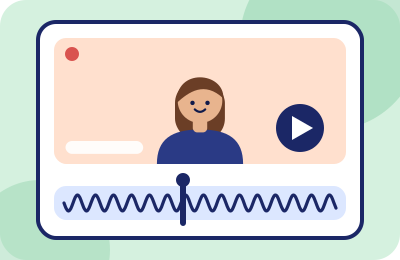
Live listeners forgive; files don't. The moment your class is recorded — an italki lesson, an Outschool replay for enrolled families, a webinar VOD — every hum and interruption stops being a moment and becomes a permanent resident. This guide is about winning that fight before the record light, because that's when it's winnable.
Why recordings punish noise twice
- Repetition. A student replaying your explanation hears the same lawnmower on listen one, two and five. Live noise is an event; recorded noise is a feature of the material.
- No context. Live, your student saw you glance at the window and understood. On the file, there's just an unexplained rumble and a teacher pausing oddly.
- Colder judgment. Replay viewers aren't in a relationship with you yet — webinar VOD audiences especially. They evaluate the way you'd evaluate a stranger's product, because that's what a recording is.
- Downstream reuse. Recorded lessons get relistened for review, shared with a co-parent deciding about next semester, quoted in "should we rebook" conversations. The audio quality of the file is your professional presentation in every one of those rooms.
Who records what: the platform reality
Facts as printed in the platforms' own docs, checked 2026-09-20:
- italki can record lesson audio in its Classroom, and only with both teacher and student consenting; the feature works in Chrome, Edge and Firefox. Details and consent mechanics in our italki note.
- Outschool lets educators share class recordings with enrolled families only; recordings live on Outschool's servers for 90 days. Your class replay is a semester-long artifact for exactly the families deciding whether to re-enrol.
- Webinar platforms treat the replay as a first-class product — often the majority of total viewership. Host-side practice lives in the webinar guide.
The common thread: the recording captures what the platform received. There is no second microphone, no raw track, no safety copy. Whatever cleanup happened on the way in is all the cleanup the file will ever have — which is the entire strategy section below.
Clean at the source beats clean in the edit
Teachers who arrive at recording problems from the content-creation world expect to "fix it in post." For live-lesson recordings that logic fails three ways:
- You usually can't touch the file. Platform recordings live on the platform — italki's and Outschool's stay in their systems. There's no timeline to edit even if you had the appetite.
- Volume defeats it. A tutor recording twenty lessons a week cannot spend evenings de-noising files. That's a hobbyist's workflow applied to a professional's calendar.
- Editing can't retrieve masked speech. When noise overlaps your consonants at the same frequencies, subtracting the noise damages the speech. What the microphone lost stays lost — cleanup after the fact is triage, not restoration.
So the leverage is entirely upstream: a suppression layer running during the lesson cleans the live experience and every future replay in the same pass. One setup, every file, forever. That layer is scored against its alternatives in the main guide; the teacher-specific mechanics are in the Krisp write-up.
- Your microphone
- Cleanup layer
- The platform
- The live lesson
- Every replay of the file
The recording keeps what the platform received, so the cleanup that counts happens before it.
The pre-record ritual (two minutes, once per recorded session)
- Everything from the standard pre-lesson ritual — right mic by name, meter check at teaching volume, no competing apps.
- Silence the machine itself: notification sounds off system-wide. Live students politely ignore your email chime; the file never will. It's the most common avoidable stain on lesson recordings.
- Check your suppression layer is actually engaged — after OS updates, virtual microphones occasionally lose their place in the chain. Thirty seconds of test recording catches it; a 60-minute noisy file teaches the same lesson expensively.
- If consent is part of your platform's mechanics (italki), settle it before the hour starts, not mid-lesson — consent fumbles at minute twenty are their own audio interruption.
- Announce recording state briefly and move on. "This one's being recorded for your review — okay? Great." Professionalism is mostly brevity.
The monthly replay audit
The cheapest quality-assurance program in online teaching: once a month, listen to five minutes of one of your own recorded lessons — on headphones, at normal volume, three days after teaching it so the live memory has faded. You are listening for four things, in order:
- Noise you've gone blind to. Your own household sounds get edited out by your brain in real time and preserved by the file in perpetuity (our column's kettle incident is the canonical example). The recording hears your room the way a new student does.
- Filter artifacts. Watery vowels, clipped first syllables after pauses, a voice that sounds vacuum-packed — signs your suppression is set too aggressively or stacked with another processing stage.
- Level drift. If you're leaning in and out of intelligibility, your input level or mic position changed since you last set it. Fix it at the OS layer, not by talking louder for a month.
- The student's experience of interruptions. Notice how long each disruption actually lasts on the file versus how long it felt. Usually the file is kinder than your memory — useful calibration against over-apologizing — but when it isn't, you've found this month's fix.
Five minutes, twelve times a year. It's the difference between an audio setup you believe is fine and one you know is.
Make the replay part of your offer — carefully
A clean recorded lesson is a genuine competitive asset: language students review pronunciation from replays; Outschool families rewatch missed sessions; webinar hosts sell the VOD twice. Two cautions before you advertise it:
- Promise only what your noise floor delivers. If your teaching hours coincide with your building's loud hours, fix that (the home-noise audit is the tool) before making recordings a selling point.
- Respect the consent machinery — it protects you too. Both-party consent on italki, enrolled-families-only sharing on Outschool: these aren't bureaucracy, they're the terms that make recording a trust-building feature instead of a complaint generator. Follow your platform's rules to the letter and say so in your profile; parents notice.
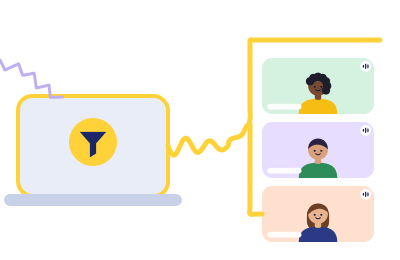
Every replay inherits this week's setup
If your lessons get recorded, a suppression layer pays double — live hour and file, same effort. Krisp's 7-day trial is enough to hear the difference in an actual recorded lesson.
Rule 1 in action (Classroom Rules): this button is a paid link. If a Krisp subscription follows it, Krisp pays ChalkLine for the introduction, and what you pay stays exactly what krisp.ai charges anyone. Recordings don't lie, and neither does our scoring script.