Platform notes
Preply classroom audio, tutor side
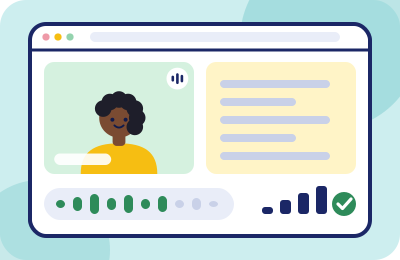
Preply runs its own browser classroom, which means its audio has its own personality: a pre-lesson test worth taking seriously, browser preferences worth obeying, and a handful of failure modes that all look like "my student can't hear me" but have different fixes.
What kind of classroom this is
Preply lessons happen in the Preply Classroom — a browser-based space with video, chat and lesson materials built in. No separate meeting app, which is good news for audio setup: everything from our five-layer chain applies directly, and the classroom exposes a device picker where the important decision gets made. Preply recommends Google Chrome for the best classroom experience, with the latest Opera, Safari and Edge also supported. If you teach daily on Preply, teach on Chrome and let your other browser opinions rest on weekends.
The pre-lesson test is not decorative
Preply provides a connection and device test before lessons, and its help center is unusually numeric about what "good" means: ideal audio and video packet loss sit between 0% and 2%. Above that, Preply's own docs warn you can expect delays, freezes and degraded audio. Two tutor-side habits follow:
From Preply’s help center, checked 2026-09-20. Packet loss is a network fault; no microphone setting moves it.
- Run the test before your first lesson of the day, speaking a full sentence at teaching volume while watching the meter — flickers on loud syllables with silence between them mean the wrong microphone is selected somewhere in the chain.
- When audio degrades mid-lesson, think in Preply's numbers. Choppy or robotic sound is packet loss wearing a costume; no microphone setting fixes it. Move closer to the router, drop other streams, or switch networks — then re-run the test.
The failure mode Preply itself warns about
Preply's audio/video troubleshooting leads with advice this site repeats like a chorus: make sure no other applications that use your microphone or webcam are open at the same time, and confirm any external microphone or headphones are properly connected before the lesson. A meeting app idling in the background counts as "open." So does a second browser tab holding an old device permission. If the classroom shows a dead meter, the microphone is nearly always being held hostage elsewhere — check the tray before you check the settings.
Where a noise layer plugs in
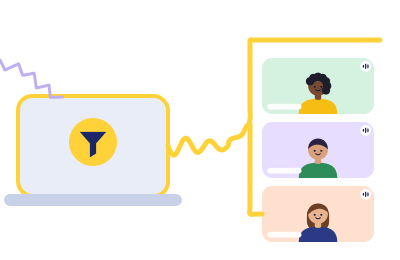
The Preply Classroom's browser machinery ships with baseline suppression — enough for hum and fans, not for the after-school hour. If your household is the speech-like-noise kind (children, television, flatmates — the full taxonomy is in the home-noise audit), a dedicated layer slots in cleanly because the classroom is just a browser app:
- Install the suppression tool first — Krisp is our scored pick for teaching workloads — and point it at your physical microphone.
- In the Preply device check, select the tool's virtual microphone (Krisp Microphone) by name.
- Re-run the pre-lesson test with real household noise happening. What the meter shows now is what students get.
One layer only: if you run Krisp, leave any OS-level voice processing off. Stacked filters produce the underwater voice that language students find harder to parse than honest background noise.
The student's side: coach it, don't fight it
Preply students join from phones on buses, laptops in kitchens, tablets in dorm rooms — and nothing you install cleans what their classmates-of-one microphone sends you. What works is a light touch of onboarding, in your own voice, in the first message after a booking:
- One sentence of expectation: "For our lessons, anywhere you can hear yourself think is fine — a quieter spot means we spend more of the hour on your speaking." Framing it around their speaking time makes it advice, not a demand.
- Teach the repeat protocol early. Tell students explicitly: if noise on either side eats a sentence, say "again, please" — no apology needed. Beginners otherwise nod through what they didn't hear, and you'll grade the silence as comprehension.
- Inbound cleanup helps you, quietly. On paid plans, Krisp also filters what you hear, which turns the student's café into a manageable murmur on your end. They never know; your concentration does.
Trial-lesson stakes, Preply edition
On a marketplace, the trial lesson is your storefront, and audio is its first impression — a new student who strains to hear you doesn't file a complaint, they book the next profile. Give trials your quietest slot and the full pre-lesson ritual. And if noise does crash a trial anyway, say so briefly and fix it visibly; the recovery scripts in the home-noise guide exist for exactly this moment.
Quick answers
- Does Krisp work with the Preply Classroom?
- Yes. The classroom is browser-based and exposes a microphone picker; Krisp's virtual microphone appears there like any other device. Select it by name in the pre-lesson check.
- My student says I sound far away, but the test passes.
- The classroom is probably listening to the wrong microphone — commonly a webcam mic across the desk. Select your intended device by name, never "default."
- Audio was fine yesterday and robotic today. What changed?
- Probably nothing on your desk — robotic means packet loss. Check Preply's connection test against its 0–2% guidance and treat it as a network problem.
- Can Preply remove my student's background noise?
- Not on their side. Inbound cleanup requires software on your machine — Krisp's paid plans do this — or the older technology of politely asking them to mute while you explain.
Sources. Preply Help Center: "How to solve video and audio issues in the Preply Classroom", "Testing connection before the lesson", "Preply Classroom Features for Tutors" and the technical troubleshooting articles — all checked 2026-09-20. We have no affiliate relationship with Preply; this page exists because its tutors keep asking us about noise.
Make the after-school slot bookable again
If household noise is the reason you keep 4–6 p.m. blocked off, run Krisp's 7-day trial through exactly those hours and listen to the before/after.
Trial Krisp in the after-school slot
Rule 1 in action (Classroom Rules): this button is a paid link. If a Krisp subscription follows it, Krisp pays ChalkLine for the introduction, and what you pay stays exactly what krisp.ai charges anyone.