Platform notes
Outschool class audio, for the teacher holding the room
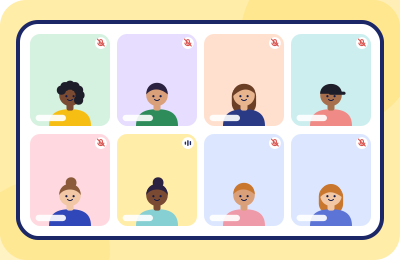
Outschool's live classes run on Zoom — but you won't find a Zoom menu tour here, because your actual audio problem isn't a toggle. It's eight learners aged nine, each in a different loud household, all of them adorable, none of them muted. This is a classroom-management problem with a software assist.
What Outschool itself tells its educators
The platform's own support pages set the ground rules (checked 2026-09-20): classes are taught live over Zoom; teachers keep their cameras on with faces fully visible; learners may join from laptops, tablets or phones; and — the key line for this page — Outschool advises asking all learners to keep themselves muted unless speaking, because it "dramatically improves the audio quality." Outschool also points educators to Zoom's own public test call at zoom.com/test to confirm devices before a first class. For the mechanics of Zoom's menus themselves, use Zoom's documentation and Outschool's troubleshooting articles — they own those pages; we won't duplicate them. What they don't cover is the part below.
The real problem: a grid of open mics in eight households
One-to-one tutors fight one noisy room — theirs. An Outschool educator fights up to a dozen simultaneously: the sibling's cartoon behind learner three, the dishwasher behind learner five, the parent's conference call behind learner eight. No software you install touches any of it, because the noise enters through their microphones. Which is why the teachers with quiet classes aren't running better tools than you — they're running better norms:
- Everyone mutes
- Everyone unmutes
- Everyone mutes again
“Microphone on means it’s your turn on stage.” Ninety seconds, once.
- Teach the mute as a classroom skill, minute one, week one. Kids handle mute discipline brilliantly when it's framed as a game mechanic rather than a punishment — "microphone on means it's your turn on stage." Rehearse it once: everyone mutes, everyone unmutes, everyone mutes again. Ninety seconds that pays for the whole semester.
- Use a visible speaking order. Half of chaotic class audio is learners unmuting to compete for a turn. A posted order ("after Maya comes Jonah") removes the incentive to hold an open mic in reserve.
- Design for the unmute lag. Young learners take a beat to find the button. Build the two-second pause into your questioning rhythm instead of filling it — filled pauses train kids to just stay unmuted.
- Praise quiet backgrounds out loud. "I love how crisp everyone sounds today" reaches the parents listening from the next room, who are the actual owners of the household soundscape.
The parent script
Outschool's audience is unusual among teaching platforms: a co-audience of parents who want to help and haven't been told how. A two-line note in your class welcome message does more than any setting:
"Audio tip: your learner will be heard best from a spot away from TVs and kitchens, and we practice using the mute button as part of class — no need to police it at home. If you can, a device with a decent built-in mic beats a tablet propped by the dishwasher."
Notice what it doesn't do: demand headsets, blame anyone, or require parents to learn software. It moves the laptop, which is the highest-value audio intervention available in someone else's house.
Your side of the grid: the one microphone you control
Everything from the setup chain applies to your machine, with one Outschool-specific multiplier: you're often teaching from a family home to family homes, at exactly the after-school hours when yours is loudest. Since your voice is the instructional signal for the entire grid:
- The built-in suppression in the meeting pipeline handles steady hum. What it fumbles is your own household's speech-like noise — and a teacher's voice fighting a sibling's cartoon on the teacher's side undermines the whole class's audio, because everyone receives it.
- A dedicated layer like Krisp runs underneath the meeting app as a virtual microphone — select it wherever you choose your mic, confirm it on the test call Outschool recommends before your first class, and your side of the grid goes clean. The home-noise audit covers the household half of that equation.
- Class recordings inherit whatever your microphone sends. Outschool lets educators share class recordings with enrolled families — and only them — with recordings held on Outschool's servers for 90 days (per Outschool's Class Recordings support docs, checked 2026-09-20). A rewatchable class is one more reason your noise floor matters beyond the live hour; the full argument is in lesson recording audio.
Quick answers
- Can I install anything that quiets my learners?
- On their machines, no — and with minors, don't go near asking families to install things. Norms, seating-order pauses and the parent script are your levers; inbound cleanup on your own machine (a paid-plan Krisp feature) at least keeps their noise out of your ears while you teach.
- Is this page going to tell me which Zoom menu has noise suppression?
- No — Zoom documents its own menus, and Outschool's troubleshooting pages link the relevant ones. Our lane is the teaching layer those pages skip.
- What's the single highest-impact change for a chaotic class?
- The rehearsed mute ritual in week one. Software cleans noise; norms prevent it. Prevention scales to twelve learners, software doesn't reach them.
- Do tablets and phones make class audio worse?
- They're allowed (Outschool says so explicitly) and fine when placed well — placement beats device. Hence the parent script's "away from TVs and kitchens" line.
Sources. Outschool Support: "Teaching Live Classes with Zoom", "Classroom & Zoom Troubleshooting Tips", "Technical Requirements", "Zoom Basics for Parents", and Outschool's Educator Library Zoom guide — all checked 2026-09-20. No affiliate relationship with Outschool.
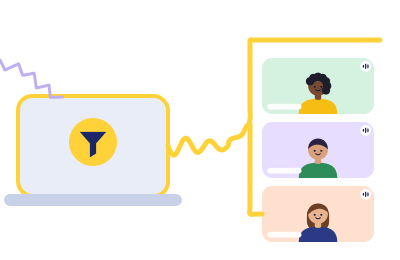
Fix the one mic you actually control
Your voice is the signal every learner in the grid depends on. Run Krisp's 7-day trial through a week of your loudest class slots and let the recordings judge.
Rule 1 in action (Classroom Rules): this button is a paid link. If a Krisp subscription follows it, Krisp pays ChalkLine for the introduction, and what you pay stays exactly what krisp.ai charges anyone.